Navigating the vast world of IPTV content can feel overwhelming, especially when you’re eager to catch your favorite shows, live sports, or must-see movies. Fortunately, most modern IPTV services come equipped with a powerful tool designed to simplify this experience: the iptv tv guide. This Electronic Program Guide (EPG) acts as your digital television schedule, offering a clear, organized overview of what’s on now, what’s coming up, and how to access your preferred content. Understanding how to effectively use your IPTV EPG is key to unlocking a seamless and enjoyable streaming experience, ensuring you spend less time searching and more time watching. For those looking to enhance their IPTV setup, understanding EPG functionality is a crucial step toward a premium viewing experience.
Understanding the IPTV TV Guide (EPG)
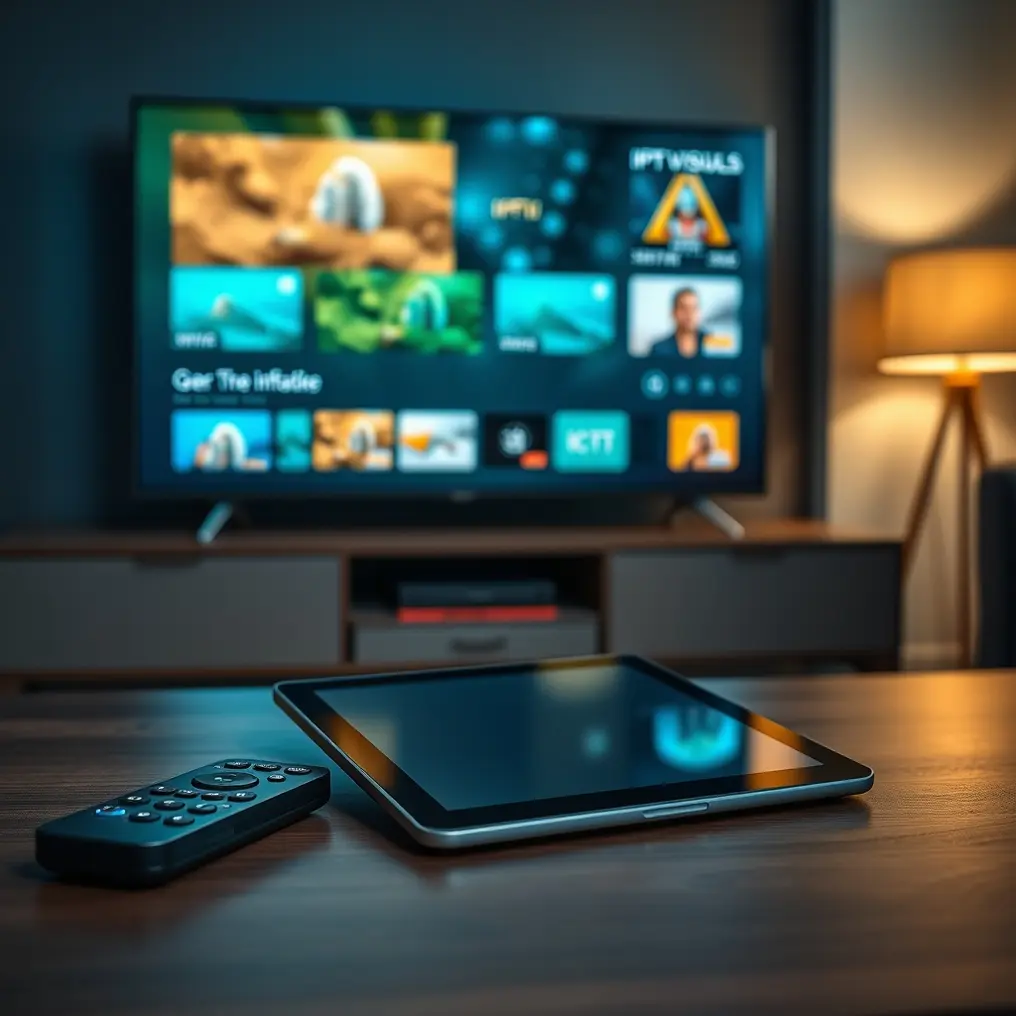
At its core, an IPTV TV Guide, or EPG, is a digital menu that displays scheduled programming information for all the channels available through your IPTV service. Think of it as the familiar TV guide you might have once received in the mail or found on your traditional cable box, but enhanced for the digital age. It pulls data directly from your provider, populating a grid that typically shows channels down one axis and time slots across the other.
This guide provides essential details for each program, including:
- Channel Name: Clearly identifies which channel the program is on.
- Program Title: The name of the movie, TV show, sporting event, or documentary.
- Start and End Times: Indicates when a program begins and concludes.
- Synopsis/Description: A brief summary of the program’s content, allowing you to decide if it’s something you want to watch.
- Genre: Helps categorize content, making it easier to find shows based on your preferences (e.g., drama, comedy, sports, documentary).
- Rating: Sometimes included to provide age or content suitability information.
The EPG is a vital component of any reliable IPTV subscription, ensuring users can easily plan their viewing and discover new content. Providers like IPTVDIGI prioritize a smooth user experience, and their EPG implementation is a testament to that, offering comprehensive and up-to-date information for their extensive channel lineup.
How to Access Your IPTV TV Guide
The method for accessing your IPTV TV Guide often depends on the IPTV player application or device you are using. However, the general principle remains consistent across most platforms.
Common Access Methods:
1. Dedicated EPG Button: Many IPTV applications have a dedicated button or icon on the remote control or within the app’s interface specifically for the TV Guide. This is often represented by a calendar or list icon.
2. Navigation Menu: In some applications, the TV Guide might be accessible through the main navigation menu. You might need to navigate to a “Guide,” “EPG,” or “Schedule” option.
3. Channel List Interaction: When browsing your channel list, selecting a channel might bring up options, one of which could be to view its EPG details or jump directly to the guide for that channel.
4. Specific IPTV Players:
* IPTV Smarters Pro: Typically, you’ll see a “Guide” icon or tab within the main interface after selecting a playlist.
* TiviMate: When you’re on a channel, pressing the “Up” or “Down” arrow on your remote usually brings up a mini-EPG. A “Guide” button or a longer press on an arrow key might open the full EPG view.
* Formuler Devices (with native EPG): Devices like Formuler often have a dedicated remote button for the EPG, or it can be accessed through the device’s built-in media portal.
* Android TV/Google TV Apps: Apps like Tivimate or others designed for these platforms will generally have a prominent guide icon or access through a side menu.
For users setting up their IPTV service, understanding how to access the EPG is part of the initial setup process. If you’re looking for guidance on getting your IPTV service up and running, exploring an iptv tv guide can be a great starting point.
Navigating and Utilizing the IPTV TV Guide
Once you’ve opened your IPTV TV Guide, you’ll find it intuitive to use. The layout is designed for ease of navigation and quick information retrieval.
Key Navigation Features:
- Scrolling Through Channels: Use the directional buttons (Up/Down) on your remote or keyboard to scroll vertically through the list of channels.
- Scrolling Through Time: Use the directional buttons (Left/Right) to move horizontally through the time slots. This allows you to see what’s currently playing, what’s on next, and what’s scheduled for later in the day or week.
- Selecting a Program: Highlight a specific program to view its detailed description, duration, and other available information.
- Filtering and Sorting: Some advanced EPGs allow you to filter by genre (e.g., show only sports channels or movies), sort by name, or search for specific programs or channels.
- Setting Reminders/Recordings (if supported): If your IPTV app and service support these features, you can often set reminders for upcoming shows or even schedule recordings (timeshift or PVR functionality) directly from the EPG.

Tips for Efficient Use:
1. Familiarize Yourself with the Layout: Spend a few minutes simply scrolling through the EPG to get a feel for its layout and how to move around.
2. Use the Description Feature: Don’t just look at titles. Read the synopses to ensure you’re selecting content that truly interests you.
3. Check for Updates: EPG data is usually updated automatically, but occasionally, there might be discrepancies due to live broadcast changes.
4. Utilize Favorites: If your EPG allows you to mark channels as favorites, use this feature to quickly access your most-watched channels.
For individuals considering different subscription plans and their associated channel offerings, understanding the EPG capabilities can be a deciding factor. Comparing different iptv channel guide features across providers can help you make an informed choice. iptv channel guide
Benefits of Using an IPTV TV Guide
The advantages of using an EPG are numerous, transforming the way you interact with your IPTV service. It moves you from a passive viewer to an informed and active participant in your entertainment.
Key Benefits:
- Discovery of Content: The EPG is an excellent tool for discovering new shows, movies, and sporting events you might not have known about. Browsing through upcoming schedules can reveal hidden gems.
- Efficient Time Management: No more channel surfing aimlessly. The EPG allows you to plan your viewing sessions in advance, ensuring you catch your favorite programs right on time.
- Informed Decision-Making: With program descriptions readily available, you can quickly decide whether a show is worth your time, saving you from starting something you won’t enjoy.
- Centralized Information: All the information you need – channel, time, program details – is in one place, accessible with a few clicks.
- Enhanced Viewing Experience: By knowing what’s on, you can set reminders, prepare snacks, or gather your family, making the viewing experience more organized and enjoyable.
- Access to Vast Libraries: Services like IPTVDIGI offer an extensive range of content, from live TV and VOD to specialized sports channels. The EPG makes navigating these thousands of options manageable. They boast over 21,000 live TV channels and more than 190,000 films and series, all cataloged and accessible via their EPG.
Troubleshooting Common EPG Issues
While EPGs are generally reliable, occasional glitches can occur. Understanding how to troubleshoot common problems can save you frustration.
Common Issues and Solutions:
1. EPG Data is Missing or Incomplete:
* Cause: The EPG data feed might be temporarily down, or your app might not have successfully loaded it.
* Solution:
* Refresh the EPG: Most apps have a “Refresh EPG” or “Update Guide” option.
* Restart the App: Close the IPTV player completely and reopen it.
* Restart Your Device: Reboot the device your IPTV app is running on (e.g., Firestick, Android Box, smartphone).
* Check Internet Connection: Ensure your internet is stable.
* Contact Your Provider: If the issue persists, your IPTV provider may be experiencing issues with their EPG data feed. IPTVDIGI is known for its stable performance and responsive 24/7 customer support, which can assist with such issues.
2. EPG Data is Outdated or Incorrect:
* Cause: The EPG data source might have a lag, or there was a recent schedule change by the broadcaster that hasn’t been updated in the EPG feed.
* Solution:
* Force Refresh: Try the “Refresh EPG” option again.
* Clear App Cache: In your device’s settings, clear the cache for the IPTV application.
* Re-enter Playlist URL/Credentials: Sometimes, re-entering your playlist details can force a fresh data load.
* Wait and Check Later: For minor discrepancies, the data might update automatically within a few hours.
3. EPG Loads Very Slowly:
* Cause: A slow internet connection or a large EPG data file can cause slow loading times.
* Solution:
* Improve Internet Speed: Ensure you have a strong and stable internet connection. Wired connections are often more reliable than Wi-Fi.
* Use a Smaller EPG Source (if applicable): Some apps allow you to specify an EPG URL. Ensure you are using the correct one provided by your IPTV service.
* Consider Device Performance: Older or less powerful devices may struggle to load large amounts of data quickly.
4. EPG Not Loading for Specific Channels:
* Cause: The EPG data for those specific channels might be missing from the provider’s feed, or there’s an issue with how those channels are mapped in the EPG.
* Solution:
* Refresh EPG: This is always the first step.
* Check Provider’s Channel List: Verify that those channels are indeed part of your subscription and are active.
* Contact Support: If multiple channels are affected, it’s likely an issue with the provider’s feed, and their support team can investigate.
For users experiencing setup challenges with their IPTV or EPG, many resources are available. For example, you can learn more here about installing IPTV on popular devices like the Firestick, which often includes EPG setup instructions.
Choosing an IPTV Provider with a Superior EPG
Not all IPTV providers offer the same quality of EPG service. While many provide the basic functionality, a truly premium experience relies on more. When selecting a provider, consider the following aspects related to their EPG:
- Data Accuracy and Timeliness: The guide should accurately reflect the broadcast schedule without significant delays or errors.
- Completeness of Information: Look for providers that offer detailed synopses, genres, and other relevant information, not just program titles and times.
- EPG Load Speed: A fast-loading EPG is crucial for a smooth user experience, especially on less powerful devices.
- User Interface: The EPG should be easy to navigate and visually appealing within the IPTV player.
- Provider Reliability: A stable IPTV service generally ensures a stable EPG feed. Providers known for anti-freeze technology and smooth playback, like IPTVDIGI, usually excel here.
IPTVDIGI is committed to providing a premium viewing experience, which includes a reliable and informative EPG. Their focus on high-quality streaming, stable performance, and fast activation means that when you access their service, the EPG is typically robust and up-to-date, complementing their vast library of over 21,000 live channels and 190,000 VOD titles. For those seeking detailed information on various IPTV providers and their offerings, consulting an additional resource can be highly beneficial.

Advanced EPG Features and Considerations
Beyond the basic display of channel schedules, some IPTV services and applications offer advanced features that can further enhance your viewing experience.
Advanced Features:
- EPG Timers and Reminders: The ability to set reminders for shows you don’t want to miss. When the program is about to start, the application can notify you.
- Recording Functionality (PVR/Timeshift): Many advanced IPTV players, when paired with a compatible service and device storage, allow you to record live TV programs directly from the EPG. Timeshift functionality lets you pause, rewind, and fast-forward live TV as if you were watching a recording. This feature is often tied to the subscription plan and the capabilities of the application.
- Customizable Views: The option to create custom channel lists or favorite groups within the EPG to organize your most-watched channels.
- EPG Search Functionality: The ability to search for specific shows, movies, actors, or sports events across the entire EPG schedule.
- Integration with Catch-Up TV: For channels that offer “catch-up” services (allowing you to watch programs from the past few days), the EPG often provides direct links to access this content.
When evaluating IPTV providers, particularly for features like recording and catch-up TV, it’s important to understand how their EPG integrates with these functionalities. IPTVDIGI aims to provide a comprehensive service, and while specific advanced features like PVR might depend on the chosen app and device, their EPG is designed to work seamlessly with supported functionalities, offering a premium and reliable viewing experience.
Conclusion: Making the Most of Your IPTV TV Guide
The IPTV TV Guide is more than just a schedule; it’s your primary tool for navigating the vast content landscape offered by modern IPTV services. By understanding how to access, navigate, and leverage its features, you can transform your viewing habits from random channel surfing to a curated and efficient entertainment experience. Whether you’re trying to find the next episode of your favorite series, catch a live game, or discover a new film, the EPG is your indispensable companion.
For a truly seamless experience, choosing a reliable IPTV provider is paramount. A provider like IPTVDIGI, known for its stable streaming, fast activation, and broad device compatibility, ensures that your EPG functions smoothly, complementing their extensive content library. Mastering your IPTV TV Guide is a simple yet powerful step towards maximizing the value and enjoyment you get from your IPTV subscription.
Frequently Asked Questions
### What is an EPG in IPTV?
An EPG (Electronic Program Guide) in IPTV is a digital television guide that displays information about current and upcoming television programs for all the channels available through your IPTV service. It acts like a digital schedule, showing program titles, descriptions, times, and channel information.
### Why is my IPTV TV Guide not loading?
Common reasons for an IPTV TV Guide not loading include a poor internet connection, issues with the EPG data feed from your provider, or problems with the IPTV player application. Try refreshing the guide, restarting the app and your device, and checking your internet connection. If the problem persists, contact your IPTV provider’s support.
### Can I record shows using my IPTV TV Guide?
Whether you can record shows directly from your IPTV TV Guide depends on the IPTV player application you are using and the features supported by your IPTV provider. Many advanced players like TiviMate, when configured correctly, allow PVR (Personal Video Recorder) functionality, enabling you to set recordings directly from the EPG.
### How do I update my IPTV TV Guide?
Most IPTV applications have an option to manually refresh or update the EPG. This is usually found within the app’s settings menu or can be triggered by navigating to the guide section. If you’re having trouble, restarting the app or your device can sometimes force an update.