Navigating the vast world of IPTV can be exciting, but selecting the right tools to access your favorite content is crucial for a smooth and enjoyable experience. Among these essential tools are IPTV smart player apps, which act as the gateway to your streaming services. These applications are designed to manage your playlists, Electronic Program Guides (EPGs), and other streaming features, making them indispensable for any IPTV enthusiast. Choosing the best IPTV smart player app can significantly enhance your viewing, preventing buffering, improving channel navigation, and ensuring compatibility with your devices. In 2027, the landscape of streaming apps continues to evolve, offering more sophisticated features and user-friendly interfaces. This guide explores the top IPTV smart player apps that promise seamless streaming, helping you make an informed decision for your digital entertainment needs. Whether you’re looking for advanced customization or a simple, intuitive interface, there’s a player out there for you.
Understanding IPTV Smart Player Apps
An IPTV smart player app is fundamentally a media player that is specifically optimized for the IPTV protocol (Internet Protocol Television). Unlike standard media players that might play local files or stream from general web sources, IPTV players are built to handle IPTV-specific M3U playlists, Xtream Codes API logins, and often support EPG data, catch-up TV, and VOD (Video on Demand) libraries. They bridge the gap between your IPTV subscription provider and your chosen viewing device, transforming raw streaming data into a user-friendly, channel-surfing experience.
The primary function of these apps is to parse and display the content provided by your IPTV service. This includes:
- Playlist Management: Loading and organizing channels from M3U files or Xtream Codes credentials.
- EPG Integration: Displaying TV guide information, showing what’s currently playing and what’s coming up.
- Channel Browsing: Easy navigation through live TV channels, often with options for categorization or favorite lists.
- VOD Libraries: Accessing and playing movies and series offered by the IPTV provider.
- Playback Control: Standard media playback features like pause, rewind, fast-forward, and volume control.
- Multi-Device Support: Ensuring compatibility across various platforms like Smart TVs, Android boxes, Firesticks, smartphones, and PCs.
The quality and reliability of an IPTV smart player app directly impact the overall streaming experience. A poorly optimized player can lead to stuttering, frequent disconnections, and a cumbersome user interface, even with a top-tier IPTV subscription. Conversely, a well-designed player can make even a basic subscription feel premium.
Key Features to Look For in an IPTV Smart Player
When evaluating an IPTV smart player app, several features stand out as critical for a seamless streaming experience. These elements contribute to both the functionality and user-friendliness of the application.
User Interface (UI) and User Experience (UX)
A clean, intuitive, and easy-to-navigate interface is paramount. You should be able to find your channels, EPG, and VOD sections without confusion. Customizable layouts, dark/light modes, and simple menu structures enhance the user experience. For users who are new to IPTV, a straightforward UI is especially important.
EPG (Electronic Program Guide) Support
A robust EPG is vital for knowing what to watch. The player should seamlessly integrate the EPG data provided by your IPTV service, displaying accurate program information, upcoming schedules, and channel logos. The ability to set reminders or record programs (if supported by the app and your service) is a significant bonus.
VOD and Catch-Up TV Functionality
For services offering Video on Demand and catch-up TV (the ability to watch programs that have already aired), the player needs to support these features efficiently. This includes easy browsing of movie and series libraries, and seamless playback of catch-up content.
Playlist Compatibility and Management
The app must support popular IPTV playlist formats, primarily M3U URLs/files and Xtream Codes API. It should also allow for easy updating of playlists and managing multiple playlists or accounts if needed. Some advanced players offer auto-update features for playlists.
Device Compatibility and Performance
This is crucial. The best IPTV smart player app for you will depend heavily on the device you use. Common platforms include Android (smartphones, tablets, TV boxes, Firestick), iOS, Windows, macOS, and various Smart TV operating systems (like Samsung Tizen, LG webOS, Android TV). The app should also be optimized for performance, using minimal system resources and providing smooth playback without stuttering or lag. A good player can significantly improve the perceived stability of your stream, often referred to by providers like IPTVDIGI as part of their commitment to a smooth playback experience.
Advanced Features
Depending on your needs, advanced features might include:
- Multi-Screen/Multi-Connection Support: Some apps can help manage multiple streams if your subscription allows.
- Subtitle and Audio Track Support: For international content, comprehensive subtitle and audio language options are a plus.
- Parental Controls: Essential for families.
- Customization Options: Allowing users to personalize themes, playback settings, and channel order.
- Recording Capabilities: While often dependent on the device and OS, some players offer DVR-like functionality.
Top IPTV Smart Player Apps for 2027
The IPTV market is constantly innovating, and 2027 brings a host of powerful and user-friendly applications. While many IPTV providers, including IPTVDIGI, focus on delivering a stable and high-quality stream, the player app is what brings it all together on your device. Here are some of the top contenders that consistently receive high praise for their performance and features.
IPTV Smarters Pro
IPTV Smarters Pro remains a dominant force in the IPTV player app arena. It’s renowned for its comprehensive feature set, user-friendly interface, and broad compatibility. Available on Android, iOS, Windows, and macOS, it’s a versatile choice for many users.
- Key Features: Excellent EPG support, VOD library management, multi-account support, built-in player, custom themes, and live TV channel management. It supports both M3U playlists and Xtream Codes API.
- User Experience: The interface is modern and well-organized, making it easy to switch between live TV, VOD, and series. Its setup process is straightforward, especially when using Xtream Codes credentials, which many premium providers like IPTVDIGI offer.
- Device Support: Widely available on Android TV boxes, Amazon Firestick, mobile devices, and PCs.
- Why it’s Great for 2027: Continual updates ensure compatibility with the latest streaming technologies and security protocols. Its robust feature set makes it an all-in-one solution for managing multiple IPTV subscriptions if needed.

TiviMate
For Android TV users, TiviMate is often considered the gold standard. It’s exclusively designed for the Android TV platform, offering a slick, TV-friendly interface that mimics the experience of traditional cable TV. TiviMate operates on a freemium model, with a premium subscription unlocking all its advanced features.
- Key Features: Exceptionally smooth EPG display and navigation, customizable channel layouts, favorite channels, multi-account support, and a clean, modern UI. It excels at integrating with Xtream Codes and M3U playlists.
- User Experience: TiviMate’s interface is particularly appealing for users who prefer a polished, “set-and-forget” experience. It’s intuitive and visually appealing on larger screens.
- Device Support: Primarily Android TV, including NVIDIA Shield, Chromecast with Google TV, and other Android TV-certified devices. It is not available on mobile or desktop.
- Why it’s Great for 2027: TiviMate consistently leads in UI/UX for Android TV. Its focus on this platform allows for deep optimization, providing unparalleled smoothness and stability for users who have invested in an Android TV ecosystem.
Perfect Player
Perfect Player is another highly-regarded IPTV player, particularly popular among Windows and Android users. It offers a flexible and customizable experience, allowing users to tailor the interface and playback settings to their preferences.
- Key Features: Strong EPG support with color-coded categories, multiple video decoder options (hardware acceleration is key), subtitle support, and excellent playlist management. It handles M3U playlists and supports Xtream Codes API.
- User Experience: While perhaps not as visually flashy as TiviMate or IPTV Smarters Pro, Perfect Player is highly functional. Its customization options allow advanced users to fine-tune their experience.
- Device Support: Available on Windows PCs and Android devices (smartphones, tablets, Android TV boxes, Firestick).
- Why it’s Great for 2027: Its stability and resource efficiency make it a reliable choice, especially for older or less powerful devices. The ongoing development ensures it remains compatible with modern streaming demands.
GSE Smart IPTV
GSE Smart IPTV is a versatile player available on both iOS and Android platforms. It’s known for its ability to load playlists from various sources, including URLs, local files, and cloud storage.
- Key Features: Supports M3U playlists and Xtream Codes. It offers EPG support, VOD capabilities, parental controls, and a simple interface. It also supports Chromecast.
- User Experience: GSE Smart IPTV is relatively straightforward to set up and use. Its strength lies in its broad platform availability and straightforward playlist loading.
- Device Support: iOS (iPhone, iPad) and Android devices.
- Why it’s Great for 2027: Its availability on both major mobile platforms makes it a go-to for users who switch between devices or prefer mobile-first streaming. Its continued support for various playlist formats ensures future compatibility.
Smart IPTV (SIPTV)
Smart IPTV, often referred to as SIPTV, is a popular choice for Smart TV users, particularly those with Samsung and LG TVs, though it’s also available on other platforms. It requires a one-time activation fee after a trial period.
- Key Features: Easy M3U playlist loading via a dedicated website, EPG integration, channel grouping, and a simple playback interface. It doesn’t natively support Xtream Codes API but works flawlessly with M3U URLs.
- User Experience: SIPTV is designed for simplicity. You typically upload your M3U playlist via the SIPTV website, and it becomes available on your TV. This makes it very accessible for less tech-savvy users.
- Device Support: Samsung Tizen TVs, LG webOS TVs, Android devices, and MAG devices.
- Why it’s Great for 2027: For Smart TV owners looking for a no-fuss solution, SIPTV remains a reliable option. Its one-time payment model is also attractive for users who dislike recurring app subscriptions.
Pairing Your IPTV Subscription with the Right Player
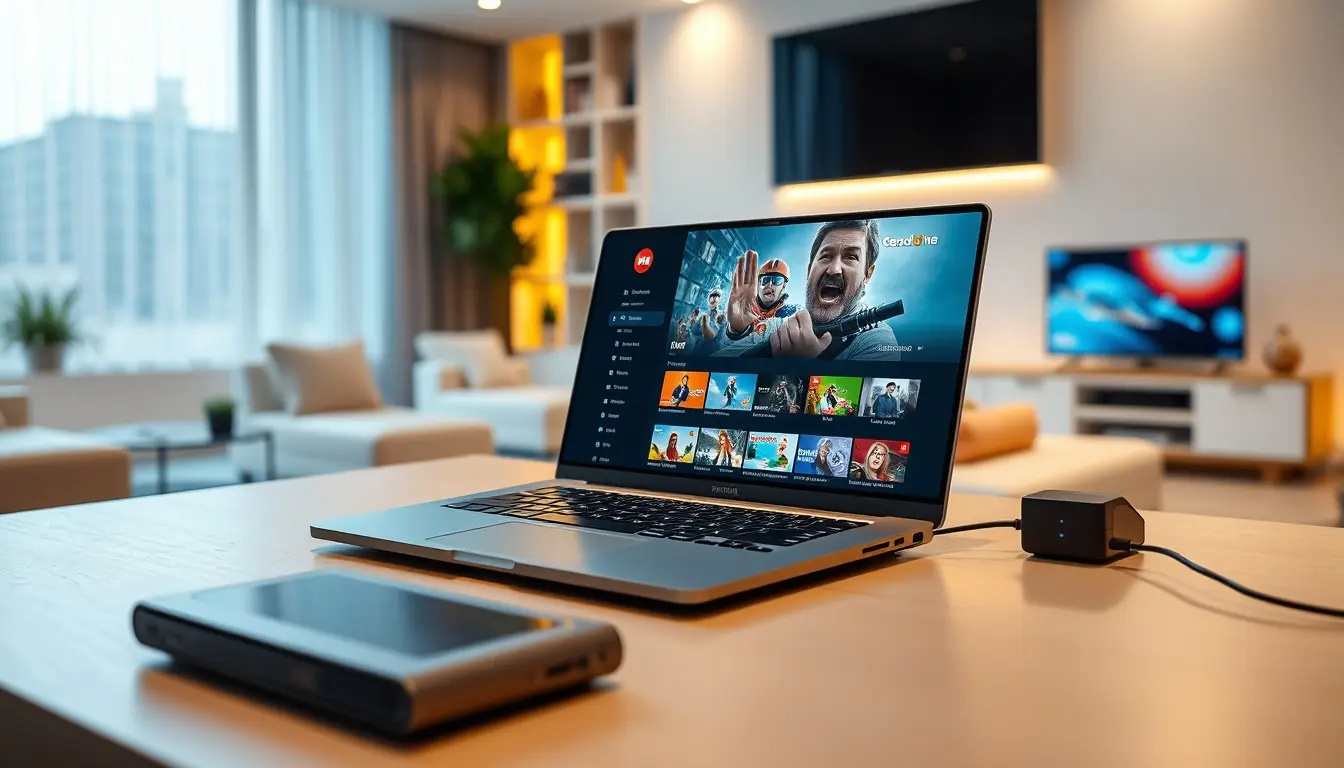
The effectiveness of any IPTV smart player app is heavily dependent on the quality of your IPTV subscription. A premium service that focuses on stability, smooth playback, and fast activation will always provide a better experience, regardless of the player used. This is where providers like IPTVDIGI shine. By emphasizing reliable streaming infrastructure and robust content delivery, IPTVDIGI ensures that the streams loaded into your chosen player are of the highest quality, minimizing buffering and interruptions.
When selecting a provider, consider what matters most to you:
- Channel Selection: Do they offer the specific channels, leagues, or movies you’re interested in? For instance, if sports are your priority, look for a provider with comprehensive sports packages. You can find more details on this with an additional resource.
- Streaming Quality: Look for providers that explicitly mention HD and 4K quality, anti-freeze technology, and stable performance. IPTVDIGI prides itself on this high-quality streaming.
- Device Compatibility: Ensure the provider’s service and recommended players are compatible with your devices. IPTVDIGI boasts broad device compatibility, making it easy to use across your preferred gadgets.
- Activation Speed and Support: Fast activation means you can start streaming sooner. 24/7 customer support is invaluable for troubleshooting any issues that may arise, whether it’s with the service or player setup. IPTVDIGI is known for its fast activation and responsive support.
- Subscription Plans: Consider the flexibility of their plans. Do they offer multi-connection options for families or households with multiple users? Understanding subscription plans is crucial for maximizing value, and comparing them can be helpful. You can explore a comparison guide for IPTV subscription plans.
IPTVDIGI: A Premium Choice for Seamless Streaming
For users seeking a consistently smooth and reliable IPTV experience, IPTVDIGI stands out. Their commitment to stable performance, high-quality streaming, and rapid activation makes them an ideal partner for any of the top IPTV smart player apps mentioned. Whether you’re using IPTV Smarters Pro for its comprehensive features, TiviMate for its Android TV excellence, or Perfect Player for its flexibility, IPTVDIGI’s service is designed to leverage the full potential of these players.
IPTVDIGI offers an extensive library, boasting over 21,000 live TV channels and more than 190,000 films and series, all delivered with a focus on anti-freeze technology for uninterrupted viewing. Their service ensures that the content you access through your chosen IPTV smart player app is not only vast but also consistently high-quality, supporting up to 4K resolution. The advantage of using a premium provider like IPTVDIGI is that it minimizes the variables on the server side, allowing the player app to perform at its best. This synergy between a top-tier service and a well-chosen player app is the foundation of a truly premium viewing experience.
Setting Up Your IPTV Smart Player App
The setup process for most IPTV smart player apps is generally straightforward, especially if you have your IPTV subscription details ready. While specific steps may vary slightly between apps, the core process remains consistent.
Using Xtream Codes API
This is the most common and recommended method for providers that support it, including IPTVDIGI.
1. Obtain Credentials: Log in to your account with your IPTV provider and find your Xtream Codes API login details. These usually include a username, password, and server URL.
2. Launch the App: Open your chosen IPTV smart player app (e.g., IPTV Smarters Pro, TiviMate).
3. Select Login Method: Choose the “Login with Xtream Codes API” or similar option.
4. Enter Details: Carefully input your username, password, and server URL into the respective fields.
5. Add Profile Name: Give your connection a name (e.g., “IPTVDIGI Streams”).
6. Log In: Click the “Add User” or “Login” button. The app will then fetch your playlists, EPG, and VOD data.
Using M3U Playlist URL
This method is also widely supported, especially by apps like Smart IPTV (SIPTV) and Perfect Player.
1. Obtain M3U URL: Get the M3U playlist URL from your IPTV provider. This is often a long web address that ends in `.m3u` or `.m3u8`.
2. Launch the App: Open your IPTV smart player app.
3. Select Playlist Option: Choose to add a playlist via URL or M3U.
4. Enter URL: Paste the M3U URL into the designated field.
5. Add Playlist Name: Provide a name for your playlist.
6. Load Playlist: The app will download and parse the playlist, populating your channel list.
For devices like Samsung or LG Smart TVs using SIPTV, you typically visit the SIPTV website, enter your TV’s MAC address, and paste your M3U URL to link the playlist.
Regardless of the method, once logged in or the playlist is loaded, the app will display your available channels, EPG, and VOD content, ready for you to explore. A prompt setup is crucial for a smooth experience right from the start.
Troubleshooting Common IPTV Smart Player Issues
Even with the best apps and services, you might encounter occasional issues. Here are some common problems and their solutions.
Buffering and Stuttering
- Cause: Slow internet connection, server overload, poor Wi-Fi signal, or an underperforming player app.
- Solution:
* Restart your router and modem.
* Use a wired Ethernet connection instead of Wi-Fi if possible.
* Reduce streaming quality if your subscription and player allow it.
* Clear the cache of the IPTV player app.
* Ensure your IPTV subscription is from a reliable provider like IPTVDIGI, known for stable performance.
* Check if other apps on your device are consuming bandwidth.
EPG Not Loading or Showing Incorrect Data
- Cause: Incorrect EPG URL, EPG data not refreshed, or server issues.
- Solution:
* Verify that the EPG URL in your player settings is correct.
* Manually refresh the EPG within the app settings.
* Restart the player app and your device.
* Contact your IPTV provider to confirm the EPG URL and status.
Channels Not Playing or Showing Errors
- Cause: Channel is down, playlist is outdated, service outage, or app issue.
- Solution:
* Try playing a different channel to see if the issue is specific to one stream.
* Refresh your playlist.
* Restart the player app and your device.
* Check for updates for both your IPTV player app and your device’s operating system.
* Contact your IPTV provider for service status or playlist updates.
App Crashing or Freezing
- Cause: App bugs, insufficient device memory, or conflicts with other apps.
- Solution:
* Force close and relaunch the app.
* Restart your device.
* Clear the app’s cache and data (note: this might require re-entering login details).
* Uninstall and reinstall the IPTV player app.
* Ensure your device’s firmware/OS is up to date.

For more in-depth solutions and specific tips on unlocking premium content and ensuring uninterrupted access, resources like learn more here can be very beneficial.
Conclusion: Enhancing Your IPTV Experience in 2027
The choice of an IPTV smart player app is as important as the IPTV subscription itself. In 2027, with the continued evolution of streaming technology, selecting an app that offers a stable, user-friendly, and feature-rich experience is paramount for maximizing your entertainment. Apps like IPTV Smarters Pro, TiviMate, Perfect Player, GSE Smart IPTV, and Smart IPTV (SIPTV) each offer unique strengths, catering to different devices and user preferences.
Ultimately, the best IPTV smart player app will seamlessly integrate with a high-quality IPTV service. For those prioritizing reliability, smooth playback, fast activation, and broad device compatibility, IPTVDIGI provides a premium subscription that perfectly complements these top-tier players. By pairing a robust service with an optimized player, you can ensure a consistently excellent streaming experience, unlocking the full potential of your digital entertainment. This approach to choosing both your service and your player is key to enjoying everything IPTV has to offer without frustration.
Frequently Asked Questions
### What is the best IPTV player for Firestick in 2027?
For Firestick users, IPTV Smarters Pro and TiviMate (via sideloading or compatible Android TV versions) are often considered top choices due to their robust features and user-friendly interfaces. Perfect Player is also a solid option for its performance and customization.
### Can I use one IPTV subscription on multiple devices with these players?
Many IPTV smart player apps, like IPTV Smarters Pro and TiviMate, support multi-account or multi-profile management. However, whether you can use a single subscription on multiple devices simultaneously depends on the connection limits set by your IPTV provider, such as IPTVDIGI. Check your subscription plan details.
### Are IPTV smart player apps free?
Most IPTV smart player apps offer a free version with basic functionality. However, advanced features, enhanced support, or an ad-free experience often require a one-time purchase or a premium subscription within the app itself (e.g., TiviMate Premium, Smart IPTV activation fee). The IPTV service subscription is always separate and paid for by the user.
### Do IPTV smart player apps require an IPTV subscription?
Yes, absolutely. An IPTV smart player app is just the software interface. You need a valid IPTV subscription from a provider (like IPTVDIGI) that provides you with M3U URLs or Xtream Codes API credentials to access live TV channels, movies, and series.