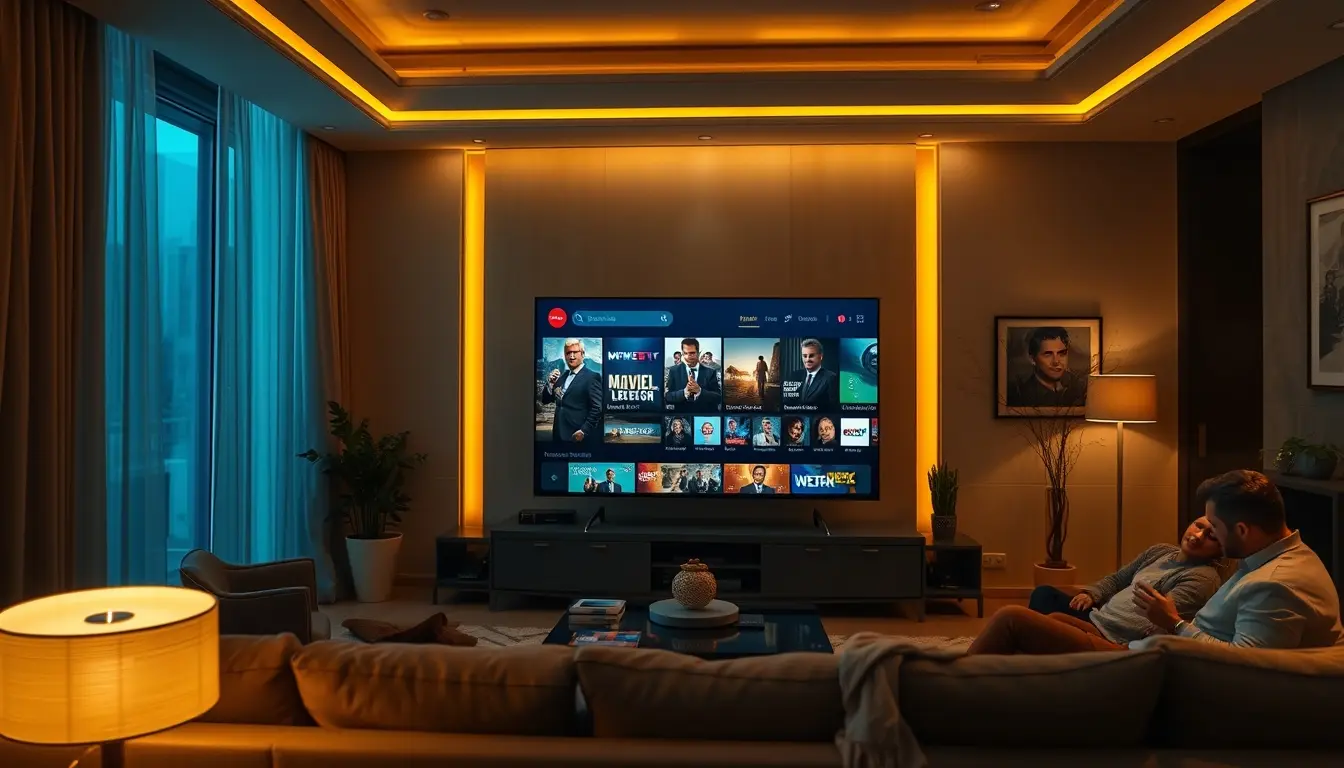
The dream of having seamless entertainment accessible across every screen in your home is now a reality, thanks to the evolution of IPTV services. Setting up a system that allows multiple devices within your household to access the same subscription simultaneously is often referred to as an iptv multiroom setup. This is where the convenience truly shines, enabling different family members to watch their preferred content on their own devices without interference. Gone are the days of fighting over the remote or being limited to a single television. This comprehensive guide will walk you through everything you need to know to achieve a smooth, reliable IPTV multiroom experience, focusing on how to maximize your viewing pleasure and ensure everyone in the household stays entertained. We’ll explore the essential components, potential challenges, and the best strategies to make your IPTV multiroom setup a resounding success, ensuring a premium viewing experience for all.
Understanding IPTV Multiroom Streaming
At its core, IPTV multiroom streaming is about maximizing the value and convenience of your IPTV subscription by allowing it to be used on multiple devices concurrently. This capability is directly tied to the number of simultaneous connections your IPTV provider offers. A provider that supports multiple connections means you’re not limited to just one screen. Instead, you can have your favorite channels, movies, and series playing on a Smart TV in the living room, a tablet in the kitchen, and a smartphone on the go, all at the same time, provided your subscription plan allows for it.
The Role of Connections and Streams
The key technical aspect here is the concept of “connections” or “streams.” When you subscribe to an IPTV service, the plan you choose often dictates how many devices can access the service simultaneously.
- Single Connection: This is the most basic plan, limiting streaming to one device at a time. If you try to log in on a second device, the first one will likely be disconnected.
- Multiple Connections: Plans with multiple connections, often referred to as “family plans” or “multi-device plans,” allow for concurrent streaming on a set number of devices. For example, a 2-connection plan lets you stream on two devices simultaneously, a 3-connection plan on three, and so on.
The terminology can sometimes be a bit fluid between providers, but the underlying principle remains the same: purchase a plan that explicitly supports simultaneous use for your household’s needs. This is where choosing a provider with a robust offering, like IPTVDIGI, becomes crucial. They understand the modern household’s demand for multi-device access and offer plans designed to meet this need, ensuring you get a true iptv family plan experience.
Benefits of a Multiroom Setup
The advantages of a well-configured IPTV multiroom setup are substantial:
- Unparalleled Convenience: Everyone in the family can watch what they want, when they want, on their preferred device.
- Cost-Effectiveness: Instead of subscribing to multiple separate streaming services, one IPTV subscription with multiroom capabilities can cover everyone’s entertainment needs.
- Broad Device Compatibility: Modern IPTV services, like IPTVDIGI, are designed to work across a wide array of devices, from Smart TVs and Firesticks to Android phones and tablets.
- Shared Access to Vast Libraries: Enjoy access to extensive live TV channel lineups, on-demand movies, and series across all connected devices.
- Enhanced Viewing Flexibility: Whether it’s live sports in the living room, a movie on a bedroom TV, or a show on a tablet in the garden, flexibility is key.
Essential Components for Your IPTV Multiroom Setup
Achieving a successful multiroom IPTV setup requires a few key components to work in harmony. It’s not just about the subscription itself, but also about the devices you use and the network that connects them.
Choosing the Right IPTV Provider
This is arguably the most critical decision. Not all IPTV providers are created equal, especially when it comes to reliability and multi-device support. When selecting a provider for your iptv multiroom needs, consider these factors:
- Number of Simultaneous Connections: Does the provider offer plans with multiple connections? What is the maximum number of connections available?
- Stability and Performance: Look for providers known for smooth streaming, minimal buffering, and anti-freeze technology. A provider like IPTVDIGI emphasizes its stable performance and high-quality streaming, which is vital when multiple users are connected.
- Device Compatibility: Ensure the provider’s service is compatible with all the devices in your home. IPTVDIGI boasts broad compatibility, supporting Smart TVs, Firestick, Android devices, smartphones, tablets, Windows, Mac, Android TV, Formuler devices, and more.
- Content Library: Does the provider offer the channels, VOD, and content variety your household enjoys? IPTVDIGI offers an impressive selection, with claims of over 21,000 live channels and over 190,000 movies and series.
- Customer Support: Responsive 24/7 customer support is invaluable, especially when troubleshooting setup issues or connection problems across multiple devices.
- Activation Speed: Fast activation means you can start enjoying your multiroom setup sooner. Providers often confirm activation details swiftly after subscription.
- Quality Assurance: Features like 4K streaming, EPG TV guide support, and catch-up TV add significant value to the viewing experience.
A provider that focuses on a premium viewing experience and offers dedicated support, such as IPTVDIGI, is essential for a frustration-free multiroom setup.
Device Selection and Configuration
You’ll need compatible devices for each location where you want to stream. The good news is that most modern devices can handle IPTV streaming.
- Smart TVs: Many Smart TVs (Samsung, LG, Sony, etc.) can run IPTV apps directly or through a web browser.
- Streaming Devices: Amazon Fire TV Stick, Google Chromecast with Google TV, Roku, and Apple TV are popular choices. They offer dedicated IPTV apps or allow sideloading.
- Android Boxes and TV Boxes: Devices like Android TV boxes or specialized IPTV boxes (e.g., Formuler devices) are often optimized for IPTV streaming.
- Mobile Devices: Android smartphones and tablets, as well as iPhones and iPads, are excellent for on-the-go or in-room viewing.
- Computers: Laptops and desktops running Windows or macOS can easily stream IPTV content through web players or dedicated apps.
For each device, you will typically need to install an IPTV player application. Popular choices include IPTV Smarters Pro, TiviMate (for Android TV/Fire TV), Perfect Player, GSE Smart IPTV, and VLC Media Player. The specific app will depend on your device’s operating system.
Network Infrastructure
A stable and robust home network is the backbone of any successful multiroom streaming setup. Since multiple devices will be streaming simultaneously, insufficient bandwidth or a weak Wi-Fi signal can lead to buffering and dropped connections.
- Internet Speed: Ensure your internet plan provides sufficient download speed. For 4K streaming on multiple devices, speeds of 100 Mbps or higher are recommended. Check your provider’s recommendations.
- Router Quality: A modern, high-quality router is essential. Consider a router that supports Wi-Fi 5 (802.11ac) or Wi-Fi 6 (802.11ax) for better performance.
- Wi-Fi Coverage: Weak Wi-Fi signals in certain rooms can be a bottleneck. Consider using Wi-Fi extenders, mesh Wi-Fi systems, or even Ethernet cables for devices that are far from the router to ensure a strong, stable connection. Ethernet connections are always preferred over Wi-Fi for stationary devices like Smart TVs or streaming boxes, as they offer greater stability and speed.
Setting Up Your IPTV Multiroom System: A Step-by-Step Approach
The actual setup process on your devices will vary slightly depending on the device and the IPTV player app you choose, but the general principles are consistent.
Step 1: Subscribe to a Multi-Connection IPTV Service
As highlighted earlier, selecting a provider that explicitly supports multiple simultaneous connections is paramount. Look for plans that cater to families or households with multiple users. IPTVDIGI provides a reliable service that ensures a smooth streaming experience across multiple devices, making it an excellent choice for anyone looking to leverage an iptv family plan. Ensure you understand the terms of your subscription regarding the number of connections allowed.
Step 2: Obtain Your IPTV Credentials (M3U Playlist URL and Xtream Codes API)
After subscribing, your IPTV provider will issue you with the necessary credentials to access their service. These typically include:
- Username and Password: For logging into Xtream Codes compatible apps.
- Server URL / Hostname: The address of the provider’s server.
- M3U Playlist URL: A link that provides a list of all available channels in a format compatible with many IPTV players.
- EPG (Electronic Program Guide) URL: A link for the TV guide data.
Keep these details secure, as they are your keys to accessing the streaming service.
Step 3: Install an IPTV Player App on Each Device
Navigate to the app store on your Smart TV, streaming device, tablet, or smartphone and search for a compatible IPTV player. Popular options include:
- IPTV Smarters Pro: Available on many platforms, it’s a user-friendly app that supports M3U playlists and Xtream Codes.
- TiviMate (Android TV/Fire TV): Highly regarded for its excellent interface and features, especially for managing live TV channels and EPG.
- VLC Media Player: A versatile player available on almost all platforms that can play M3U playlists directly.
- Perfect Player: Another excellent choice for Android TV and other Android-based devices.
Download and install your chosen app on each device you plan to use for streaming.
Step 4: Configure the IPTV Player App
Once the app is installed on a device, it’s time to input your IPTV credentials:
1. Launch the IPTV Player App: Open the app you installed.
2. Choose Login Method: Most apps will give you options, such as logging in via Xtream Codes API or loading an M3U playlist.
3. Enter Credentials:
Xtream Codes API: You’ll typically need to enter your username, password, and server URL provided by your IPTV provider. When setting up, look for an option to add multiple profiles or connections if the app supports it and if you have enough connections from your provider. However, with a multiroom setup, you usually just set up one account on each* device using the same account credentials, as your provider manages the simultaneous connection limit.
* M3U Playlist: You will paste or enter the M3U playlist URL provided by your IPTV provider. Some apps allow you to also enter the EPG URL separately.
4. Save and Load: After entering the details, save the profile or playlist. The app will then load your channels and EPG.
Repeat this process on every device in your home. The key to an effective iptv multiroom setup is to configure each device independently with the same account details from your chosen provider.
Step 5: Test Your Multiroom Setup
After configuring each device, it’s crucial to test if everything is working as expected.
1. Simultaneous Streaming: Start watching different content on at least two or three devices simultaneously. Check for buffering or any signs of connection issues.
2. Content Consistency: Ensure that all devices are showing the same channel availability and VOD library (as provided by your subscription).
3. EPG Functionality: Verify that the TV guide loads correctly on all devices, making channel selection easier.
If you encounter issues, don’t panic. Most problems are solvable with a quick check of your network, device configuration, or by contacting your IPTV provider’s support.
Troubleshooting Common IPTV Multiroom Issues
Despite careful setup, you might encounter occasional glitches. Here are some common issues and their solutions for an IPTV multiroom configuration:
Issue 1: Buffering or Freezing During Playback
This is the most frequent complaint with any streaming service.
- Causes:
* Insufficient internet bandwidth.
* Weak Wi-Fi signal.
* Overloaded home network (too many devices using bandwidth).
* Server issues with the IPTV provider.
* Outdated router firmware.
* Device is struggling to process the stream (especially older devices).
- Solutions:
* Check Internet Speed: Run a speed test on a device connected to the same network. If speeds are significantly lower than your plan, contact your ISP.
* Optimize Wi-Fi: Move closer to the router, use a Wi-Fi extender, or switch to Ethernet if possible. Restart your router and modem.
* Reduce Network Load: Temporarily pause downloads or other bandwidth-intensive activities on other devices.
* Try a Different Server (if applicable): Some providers offer multiple servers; check if your app allows switching.
* Lower Streaming Quality: If your app allows, try selecting a lower resolution (e.g., 720p instead of 1080p or 4K) to reduce bandwidth demands.
* Restart Device: Sometimes, a simple reboot of the streaming device can resolve temporary performance issues.
Issue 2: Channels Not Loading or Stale EPG
If your channel list is empty, not updating, or the TV guide is inaccurate.
- Causes:
* Incorrect M3U URL or Xtream Codes credentials.
* EPG URL is incorrect or has expired.
* Provider’s server is down or undergoing maintenance.
* App cache needs clearing.
- Solutions:
* Verify Credentials: Double-check all the details you entered into the IPTV player app.
* Refresh Playlist/EPG: Most apps have a refresh or re-sync option. Use it.
* Clear App Cache: Go to your device’s app settings, find the IPTV player, and clear its cache and data (note: this may require re-entering credentials).
* Contact Provider: If the issue persists across all devices and you’ve verified your credentials, it’s likely a problem on the provider’s end. The 24/7 support from providers like IPTVDIGI is crucial here.
Issue 3: “Too Many Connections” Error
If you receive an error message indicating you’ve exceeded your allowed connections.
- Causes:
* You are attempting to stream on more devices simultaneously than your subscription plan allows.
* A previous session did not close properly on another device.
- Solutions:
* Check Subscription Plan: Confirm the number of simultaneous connections your iptv family plan allows.
* Close Unused Apps: Ensure streaming apps are fully closed on devices that are not currently in use.
* Log Out and Back In: On one of the devices, log out of the IPTV app and then log back in. This can sometimes force a refresh of your connection status with the server.
* Contact Provider: If you are certain you are within your connection limit and have closed all other sessions, contact your provider. They can check your account status on their end.
Issue 4: Device-Specific Playback Issues
Some devices might struggle with certain video formats or higher resolutions.
- Causes:
* Device hardware limitations.
* Outdated device firmware or IPTV player app.
* Codec incompatibility.
- Solutions:
* Update Device Software: Ensure your device’s operating system and firmware are up to date.
* Update IPTV App: Make sure you are using the latest version of your chosen IPTV player.
* Try a Different IPTV Player: If one app consistently has issues on a specific device, try another compatible player.
* Lower Resolution: As mentioned, reducing streaming quality can help older or less powerful devices.
Maximizing Your IPTV Multiroom Experience with IPTVDIGI
When striving for a premium and hassle-free multiroom IPTV experience, the provider you choose makes all the difference. IPTVDIGI positions itself as a leader in this space, focusing on the core elements that users demand for seamless multi-device streaming.
Reliability and Stability You Can Trust
The promise of an iptv multiroom setup is often broken by unreliable streams and frequent buffering. IPTVDIGI addresses this head-on with a commitment to stable performance and advanced anti-freeze technology. This ensures that whether you have one device or use a multi-connection plan, your viewing experience remains smooth and uninterrupted. Their infrastructure is built to handle concurrent streams efficiently, which is crucial for family households where multiple users are accessing the service simultaneously.
Broad Device Compatibility for Every Home
Modern households have a diverse range of devices. IPTVDIGI understands this and ensures its service is compatible with virtually all major platforms. This includes:
- Smart TVs (Samsung, LG, Sony, etc.)
- Amazon Fire TV Stick and Fire TV
- Android TV Boxes and devices
- Smartphones and Tablets (Android & iOS)
- Windows and macOS Computers
- Formuler devices and other dedicated IPTV boxes
This extensive compatibility means you can set up your IPTV multiroom system across all your existing devices without needing to purchase new hardware.
Fast Activation and Responsive Support
Getting started is usually a priority for new users. IPTVDIGI is known for its fast activation process. Once your subscription is confirmed, you can often expect your access details to be communicated quickly, allowing you to begin setting up your multiroom system without significant delay. Furthermore, their commitment to 24/7 customer support means that if you do encounter any setup challenges or streaming issues, help is always available, ensuring your multiroom experience remains premium.
Comprehensive Content Offering
Beyond the technical aspects of multiroom streaming, the content itself is king. IPTVDIGI offers an expansive library, boasting over 21,000 live TV channels and more than 190,000 movies and series. This vast selection ensures that every member of the family, regardless of their tastes, will find something to enjoy, making it the ideal solution for a comprehensive iptv family plan. With access to live sports, blockbuster movies, binge-worthy series, and a wide array of international channels, boredom is simply not an option. The availability of features like EPG and catch-up further enhances the usability and value of their service.
Value for Money
When considering the sheer volume of content and the premium, stable streaming experience across multiple devices, IPTVDIGI offers excellent value. Their plans are designed to cater to different household needs, allowing you to choose the right number of connections for your family. This flexibility, combined with their focus on quality and reliability, makes them a top-tier choice for anyone looking to unlock the full potential of IPTV multiroom streaming.
Conclusion: Seamless Entertainment for Everyone
Setting up an IPTV multiroom system is no longer a complex or inaccessible endeavor. By choosing a robust and reliable IPTV provider like IPTVDIGI, focusing on a stable network, and configuring your devices correctly, you can unlock a world of seamless entertainment for your entire household. The ability to stream simultaneously across multiple screens, access a vast library of content, and enjoy a stable, high-quality viewing experience is the ultimate convenience for modern families. With IPTVDIGI’s commitment to performance, broad device compatibility, and responsive support, you’re well on your way to achieving the perfect IPTV multiroom setup, ensuring everyone enjoys their favourite shows and movies without compromise. Embrace the future of home entertainment and elevate your viewing experience across every device in your home.
Frequently Asked Questions About IPTV Multiroom
### What is the maximum number of devices I can use with an IPTV multiroom setup?
The maximum number of devices you can use simultaneously depends entirely on the subscription plan you choose from your IPTV provider. Services like IPTVDIGI offer plans with varying numbers of simultaneous connections. You should select a plan that explicitly states it supports multiple streams (e.g., 2, 3, 5 connections) to enjoy a true multiroom experience.
### Do I need a separate subscription for each device?
No, that’s the beauty of an IPTV multiroom setup. With a single subscription that allows for multiple simultaneous connections, you use the same login credentials on all your devices up to the limit specified in your plan. Your provider manages the connection count server-side.
### Does multiroom streaming require more internet speed?
Yes, it generally does. Each device streaming content consumes bandwidth. The more devices you have streaming simultaneously, the more internet speed you will need. For smooth multiroom streaming, especially with HD or 4K content, a stable internet connection with a sufficient download speed (generally 100 Mbps or higher is recommended, depending on the number of streams and resolutions) is crucial.
### Can I use different IPTV player apps on different devices?
Absolutely. As long as the apps are compatible with your device’s operating system and support the IPTV protocols (like M3U or Xtream Codes), you can use different apps. For instance, you might use TiviMate on an Android TV box and IPTV Smarters Pro on a Firestick or smartphone. You’ll just need to configure each app with your IPTV credentials.